

Photo Print Frames
How to customize the printed photo design with your brand — six standard templates to download, working sizes, and photo/QR placement specs.
The frame is the design that surrounds the photos on the printed output. The photo slots are fixed — everything else is yours to fill with logos, the event name, dates, sponsor marks and more.
The six standard templates
Up to 4 frame designs can be loaded per event, but more choices slow guests down, so we recommend 2 or fewer.
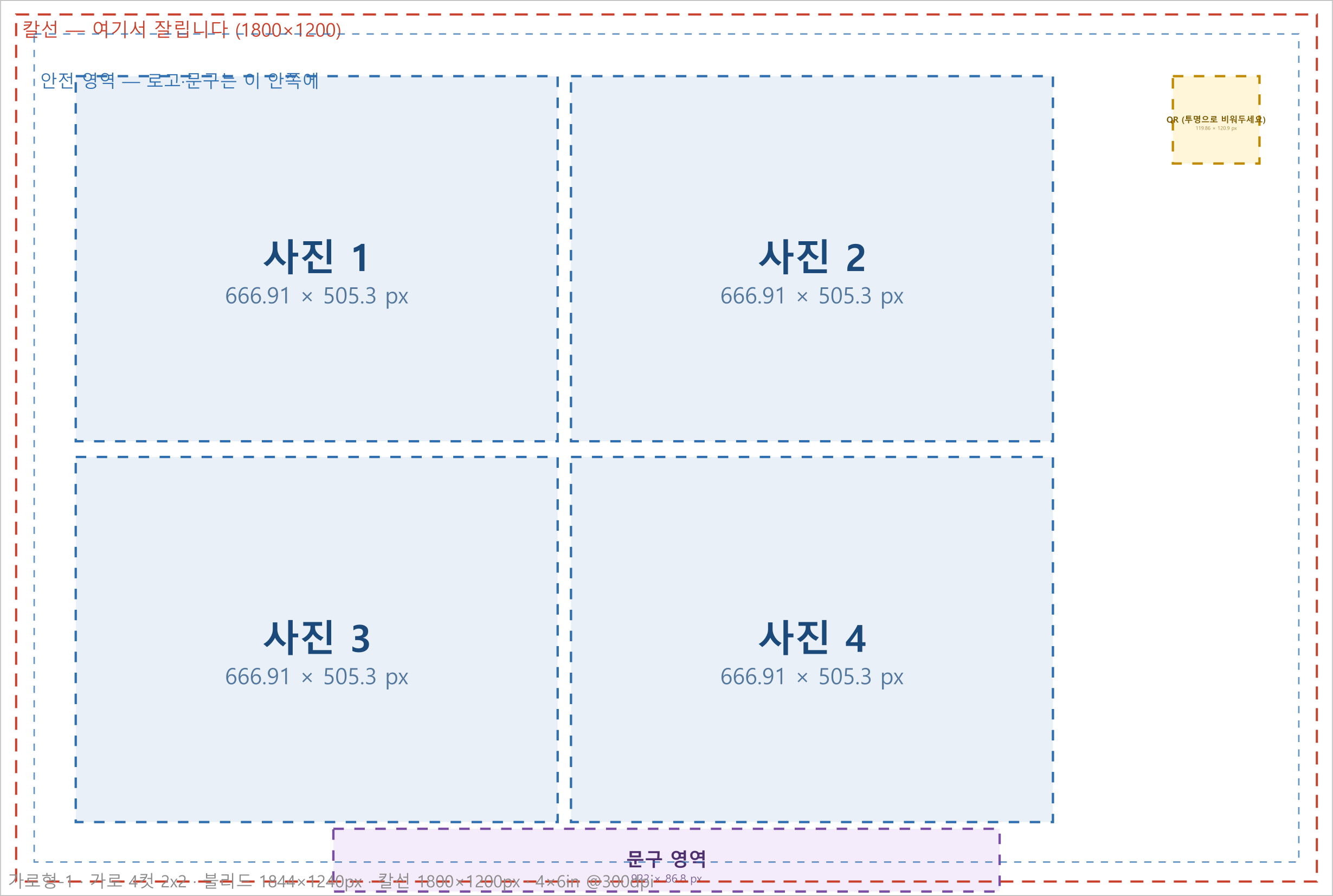
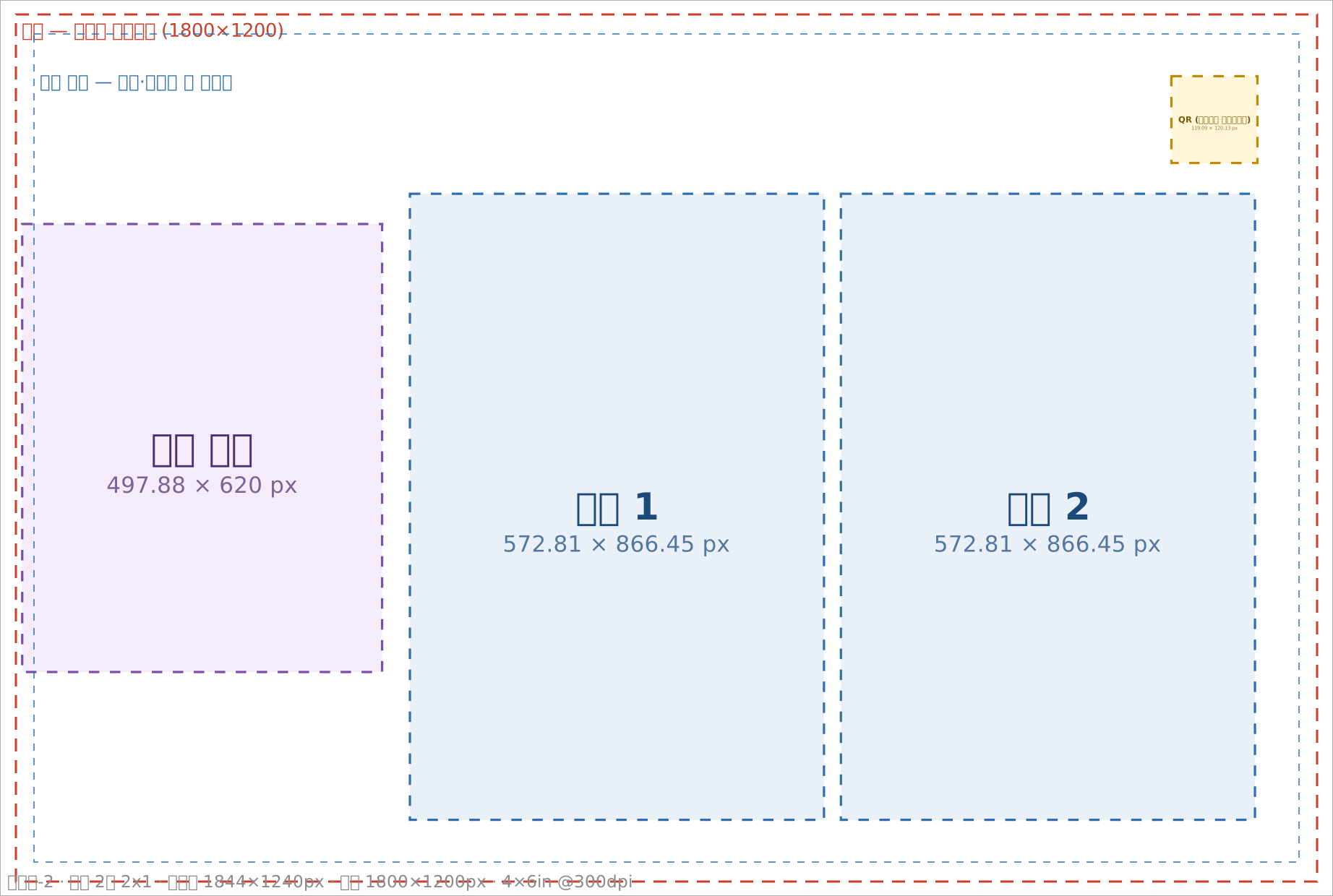
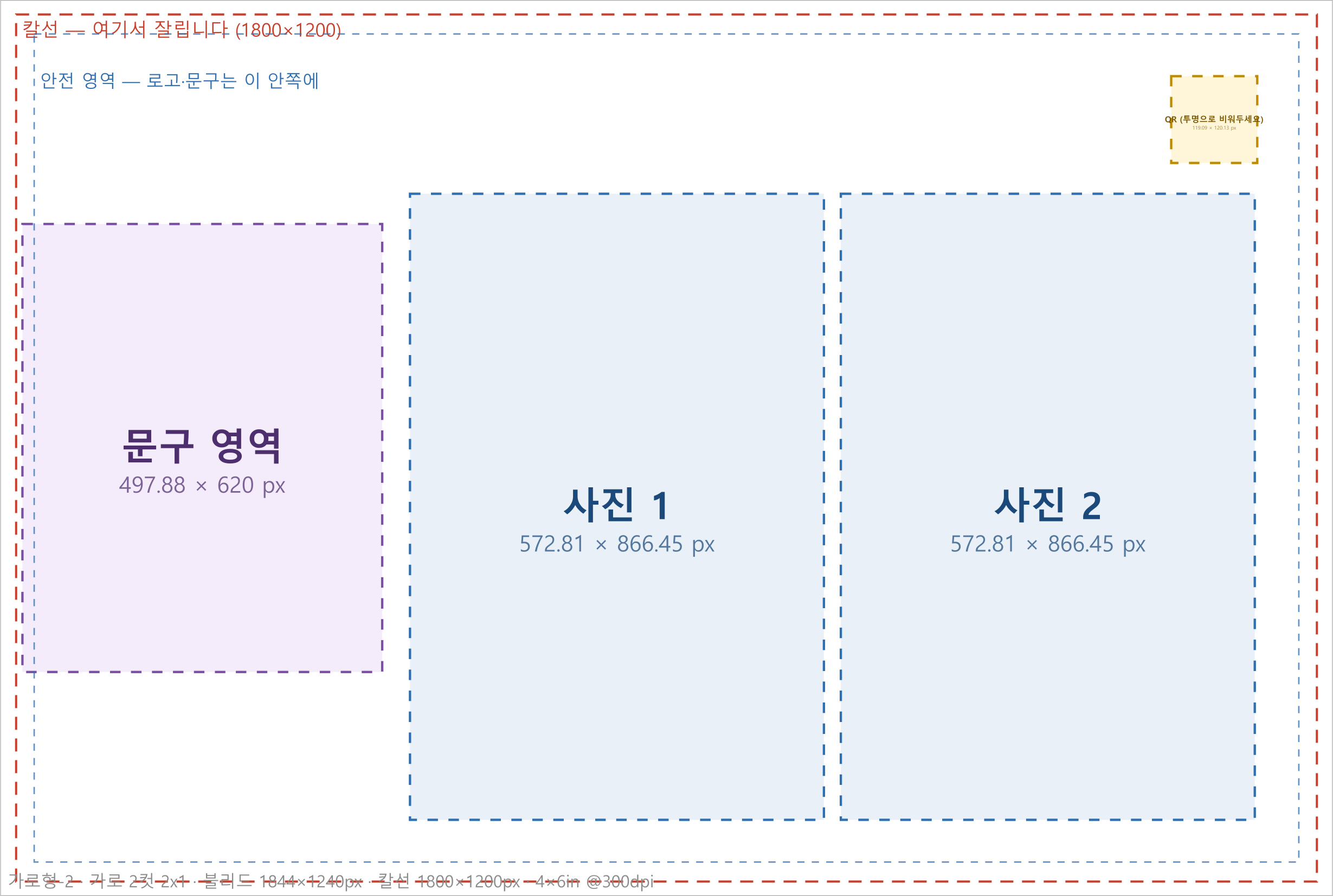
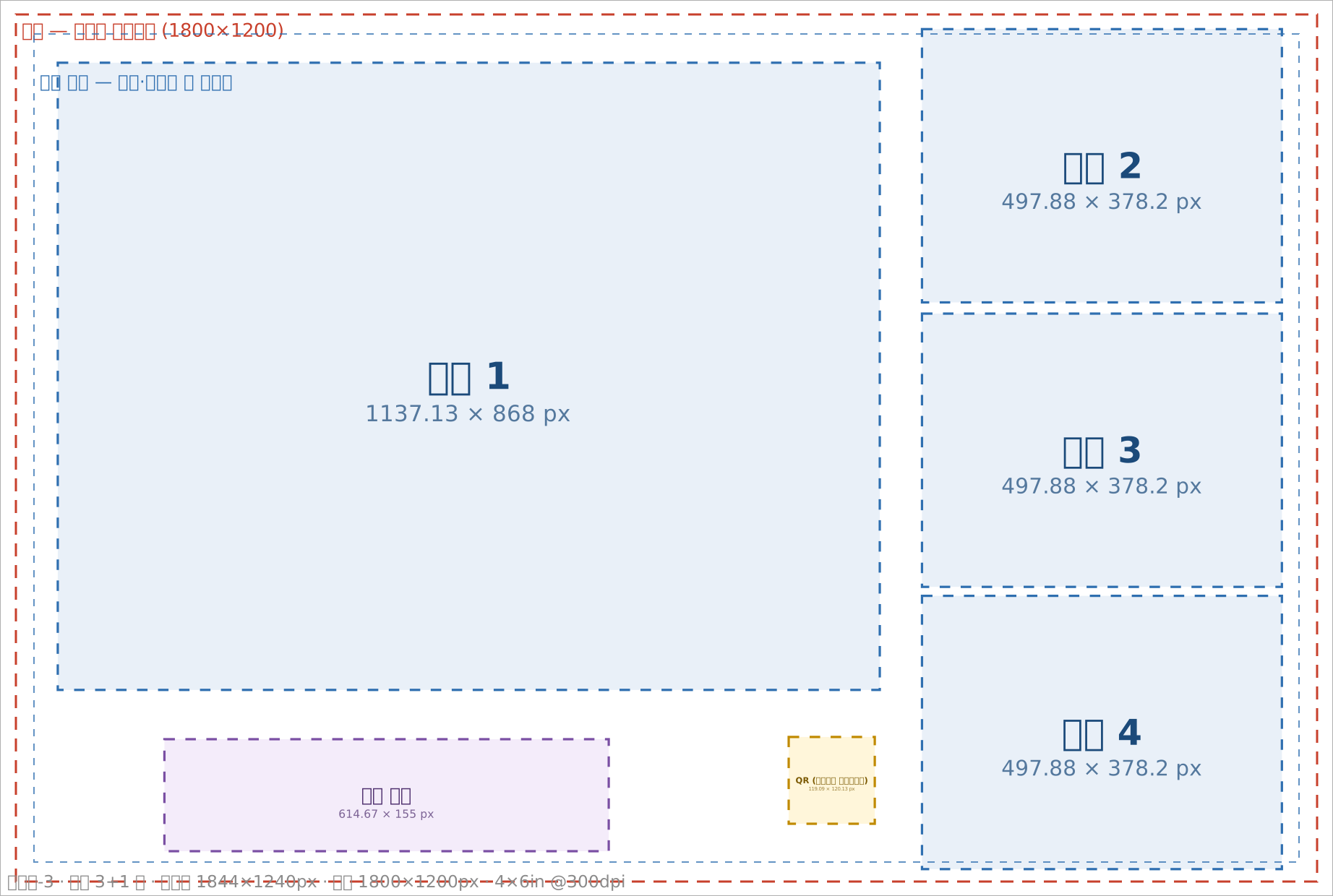
The files below mark the photo slots, the QR slot, the cut line and the safe area.
They are grouped in a Guide layer — delete that layer entirely when your design is done, then submit.
| Frame | Layout | Recommended for | Canvas size | Download |
|---|---|---|---|---|
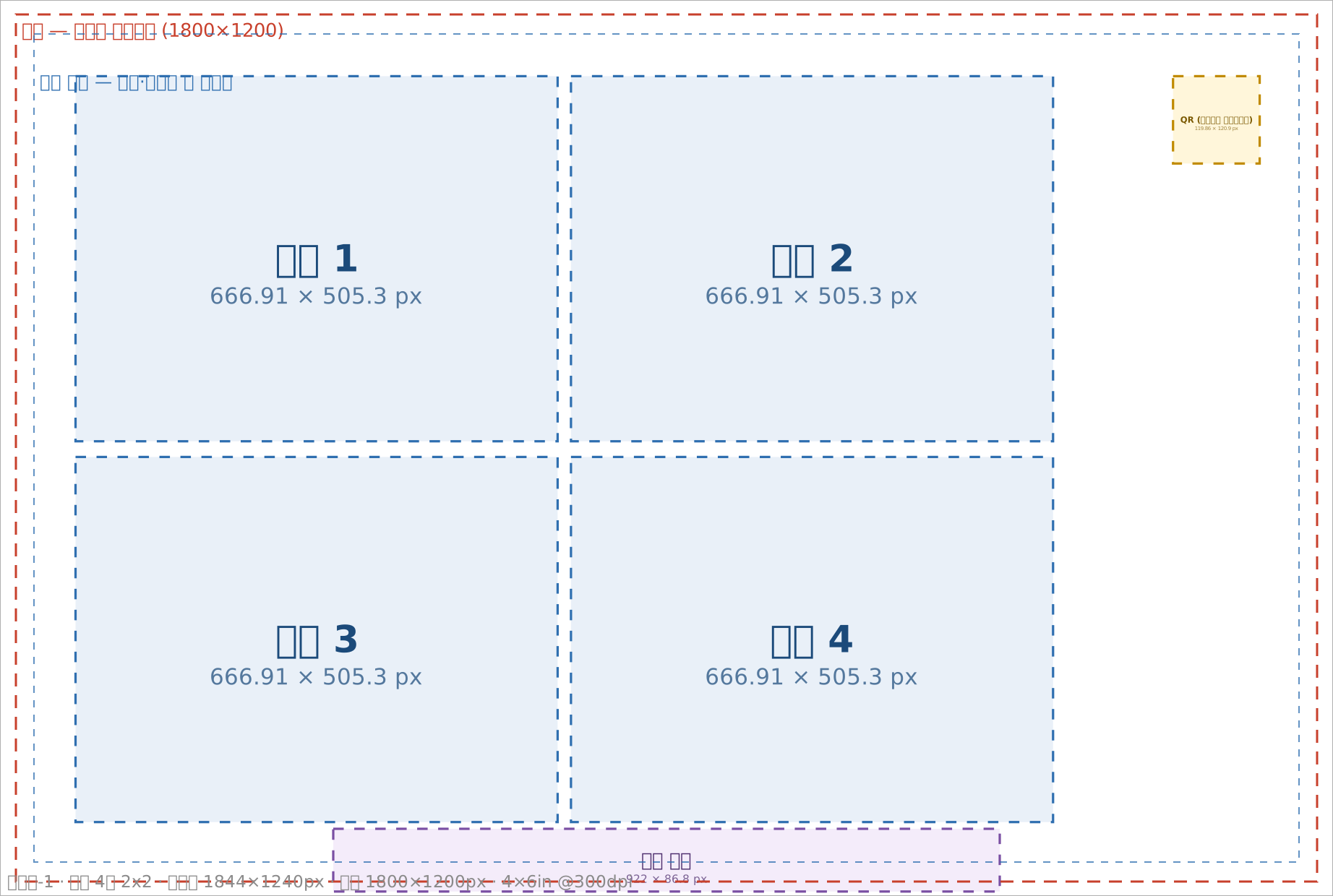
| Landscape-1 | 4 cuts + logo area on the right | Lots of group shots | 1844 × 1240 px | SVG · PNG |
| Landscape-2 | 2 cuts + logo area on the left | When the queue must move fast (e.g. weddings) | 1844 × 1240 px | SVG · PNG |
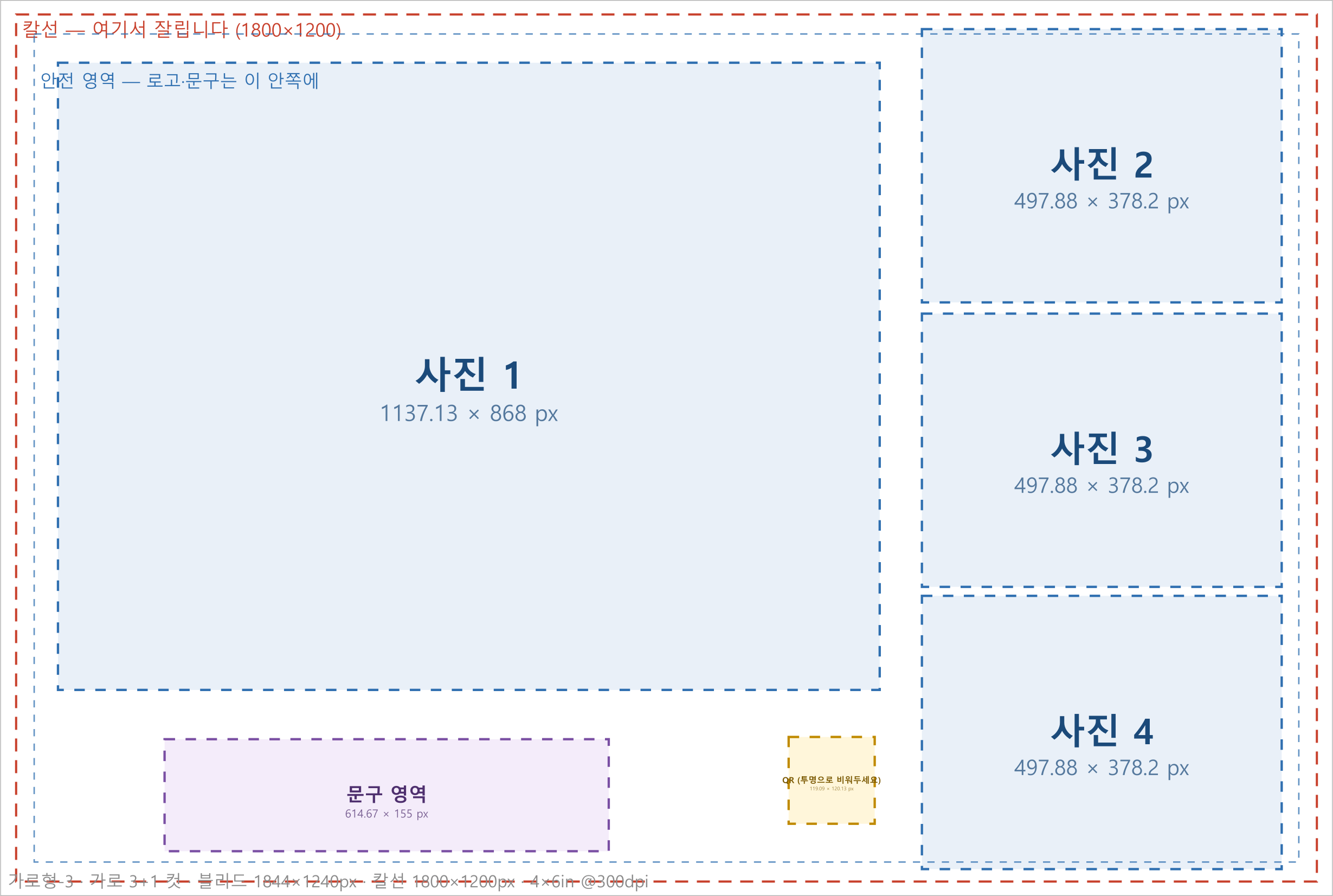
| Landscape-3 ⭐ | 1+3 cuts + logo area at the bottom | Showing AI-transformed photos at a larger size | 1844 × 1240 px | SVG · PNG |
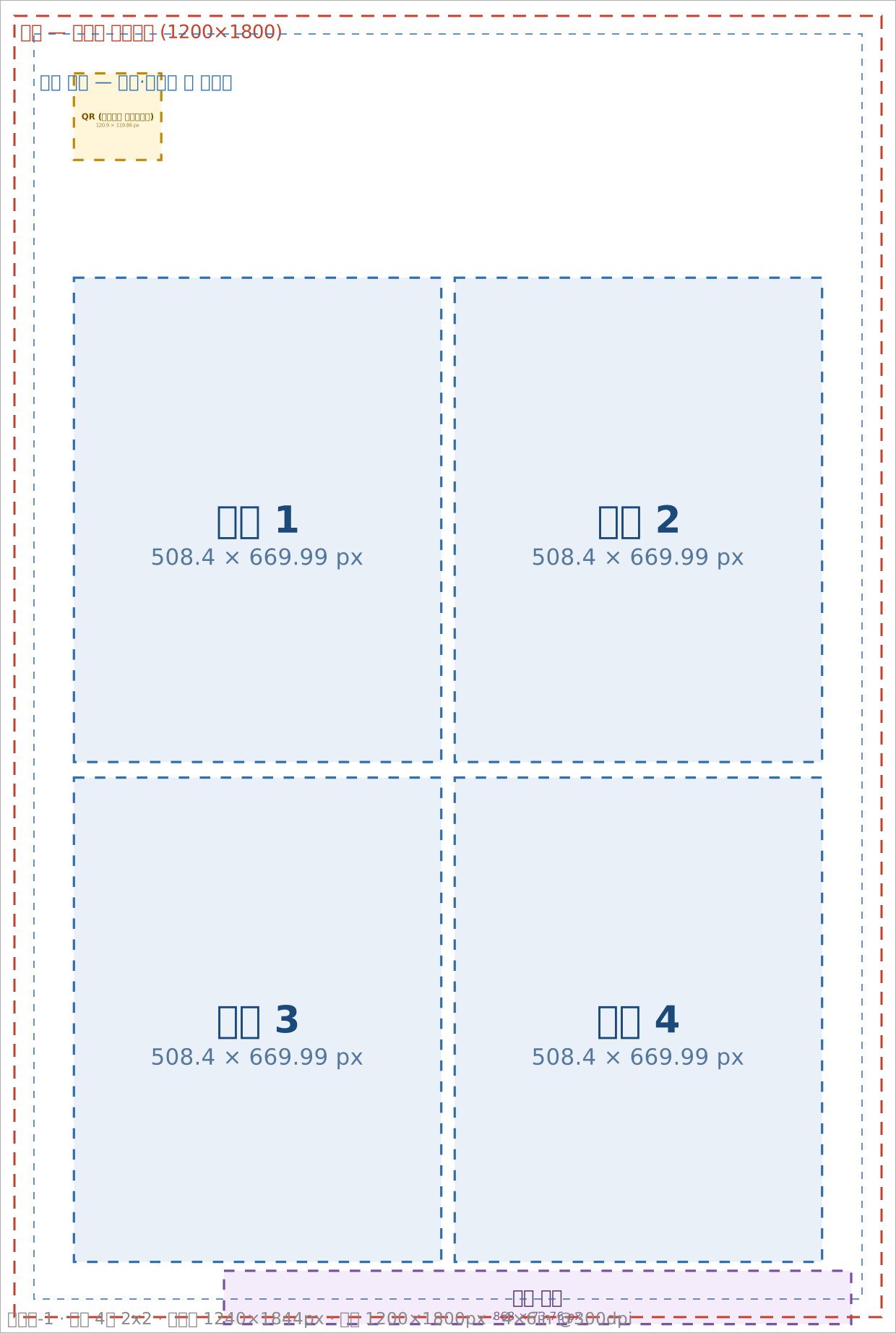
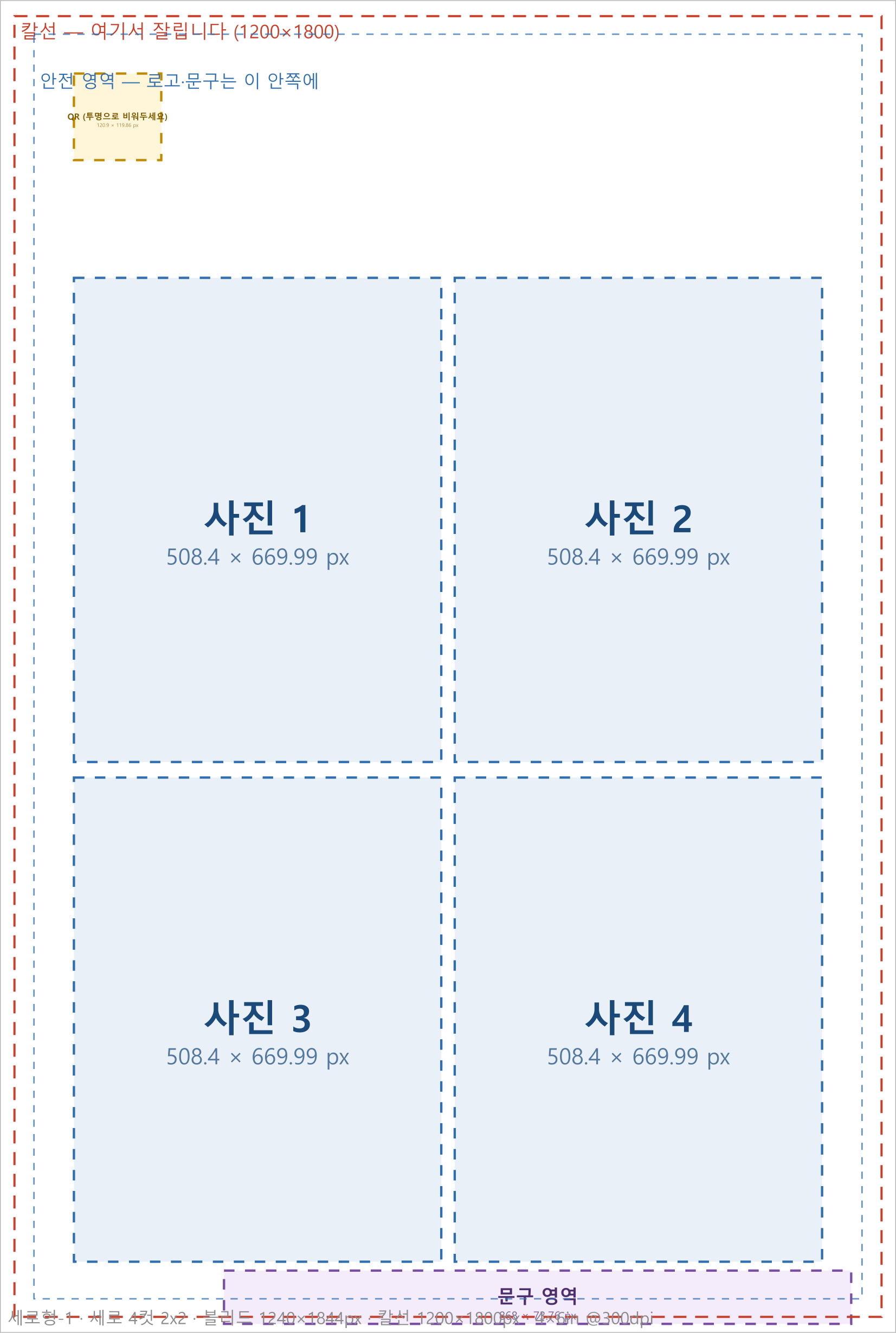
| Portrait-1 | 4 cuts + logo area on top | Mostly 1–2 person shots | 1240 × 1844 px | SVG · PNG |
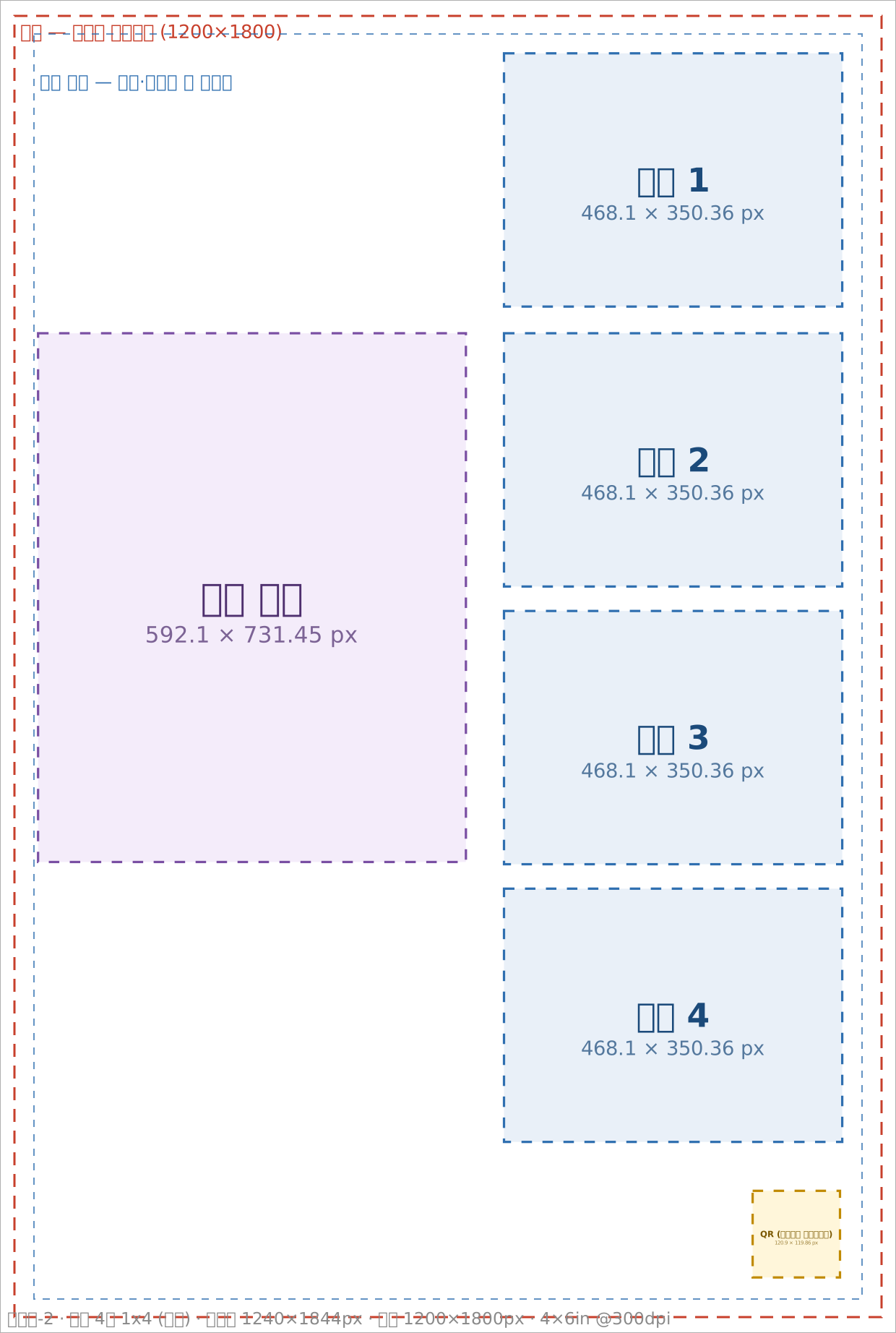
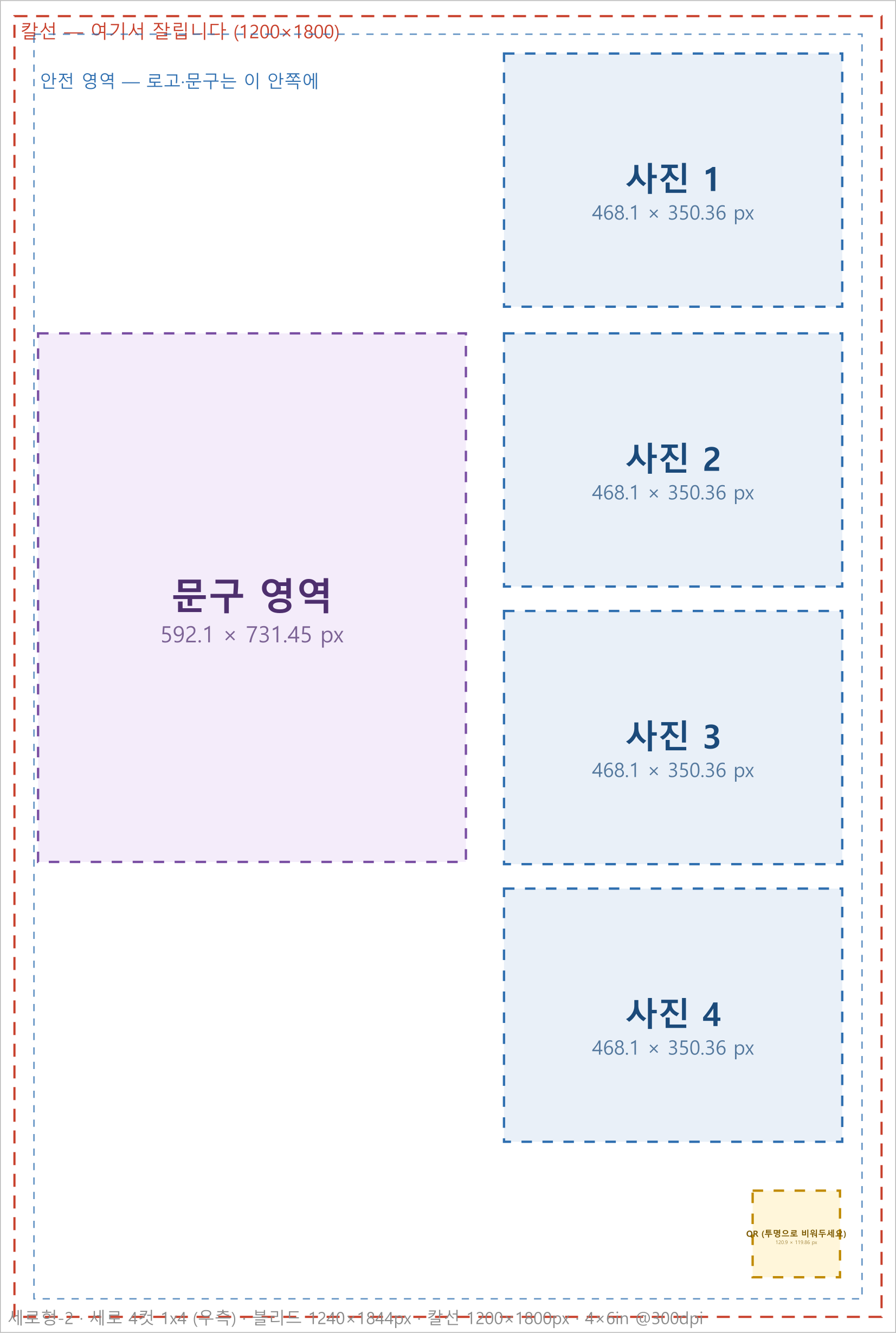
| Portrait-2 | 4 cuts + logo area on the left | A wide area for logos and copy | 1240 × 1844 px | SVG · PNG |
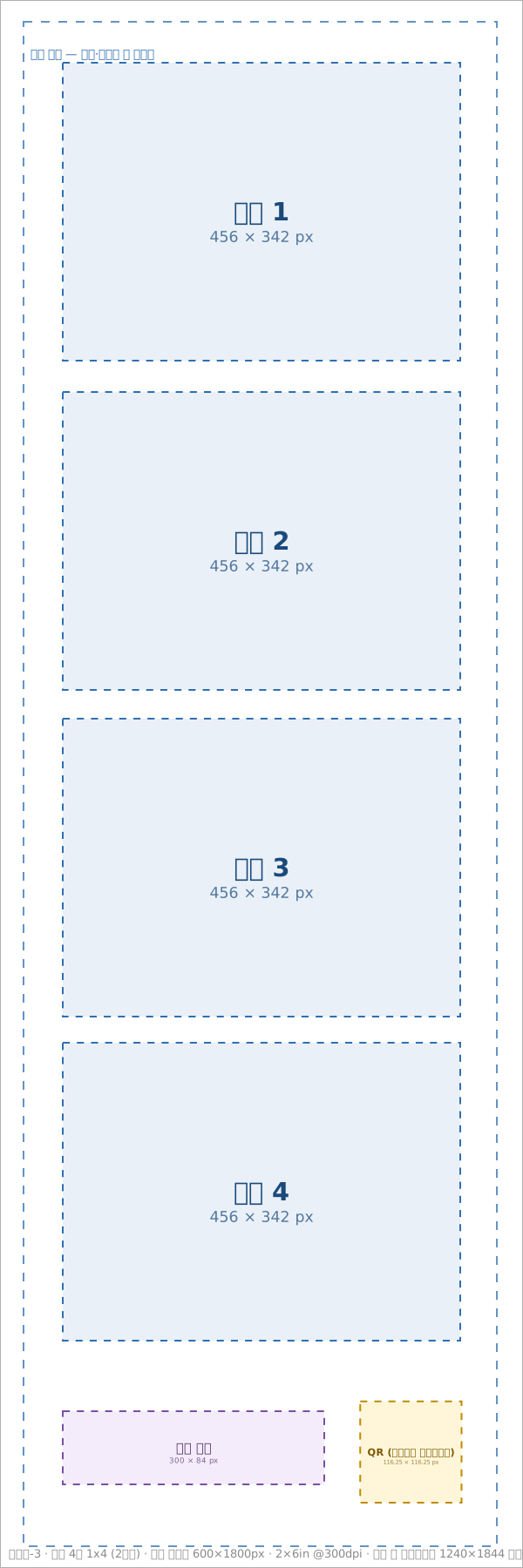
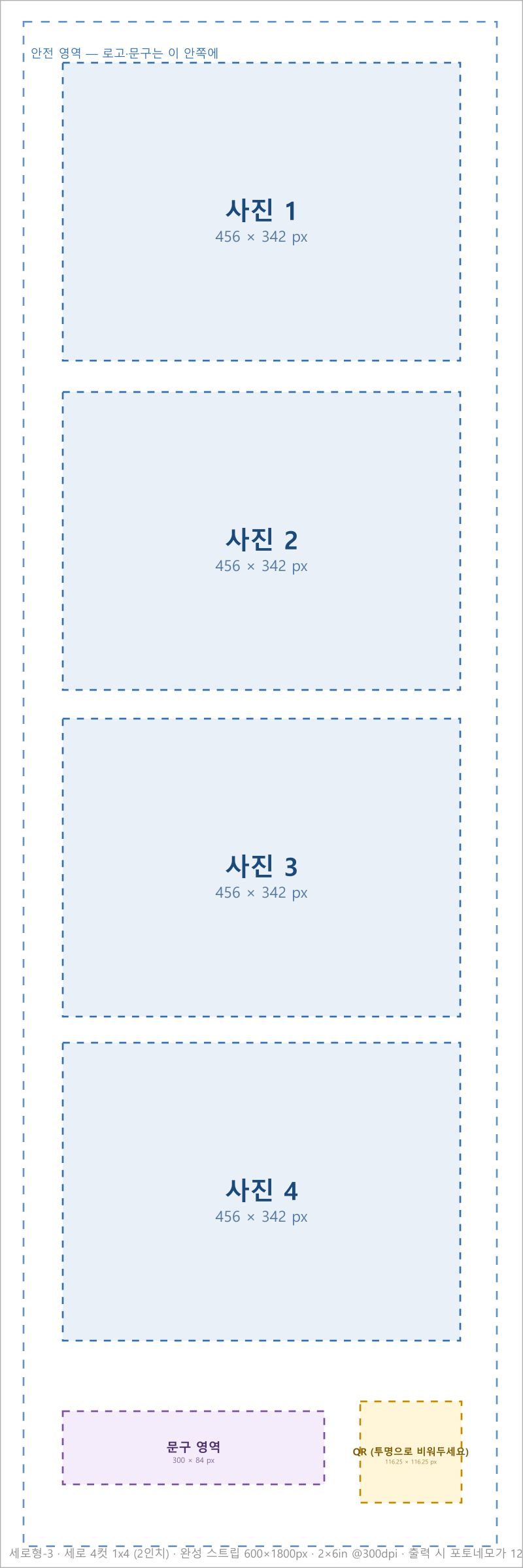
| Portrait-3 | 4 cuts, printed as 2 strips | One shot, two copies to share | 600 × 1800 px | SVG · PNG |
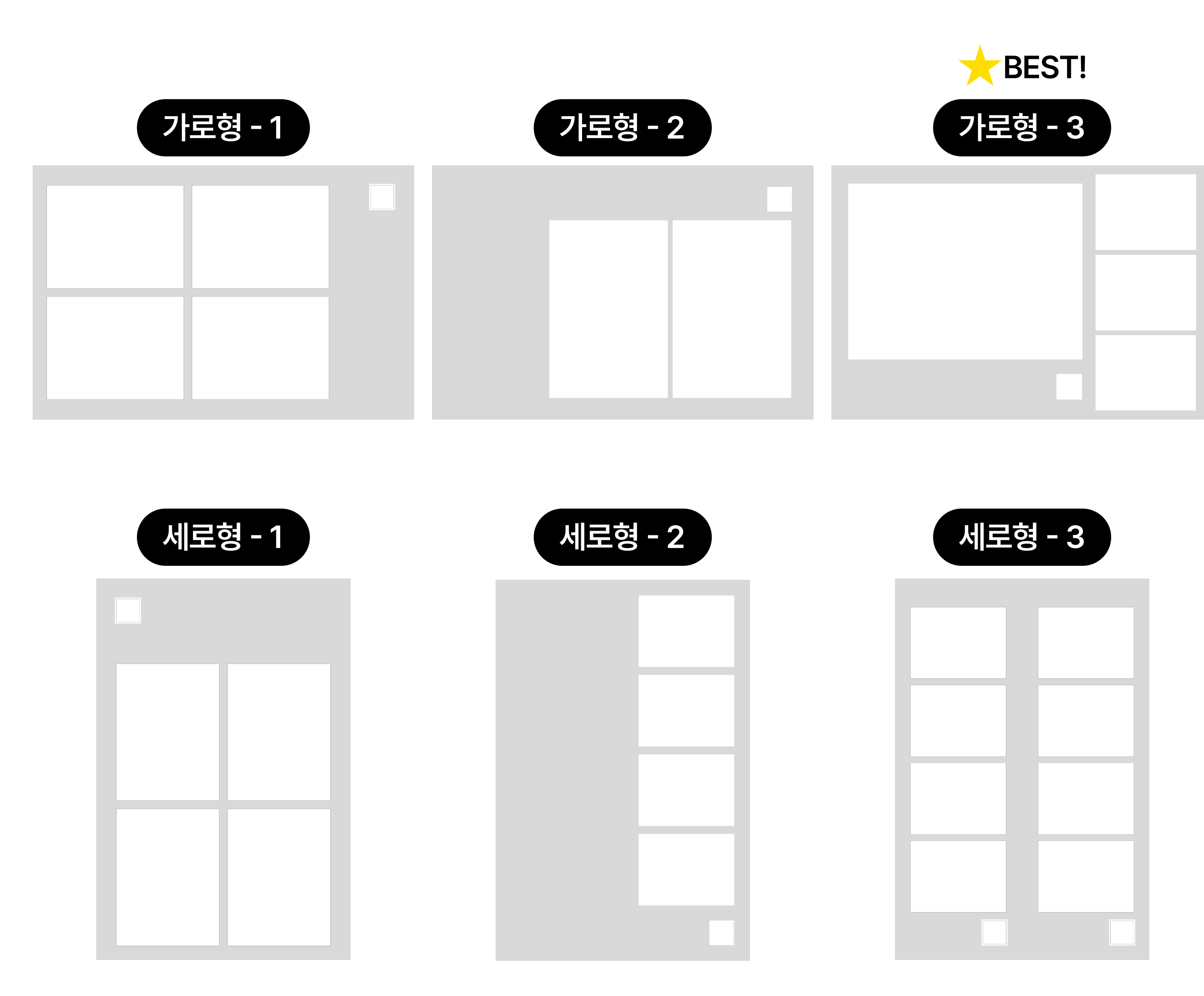
Why Landscape-3 pairs well with AI transformation
One large cut sits next to three small ones, so one photo prints larger than in any other frame. The detail of an AI-transformed image shows best there.
Working specs — three zones
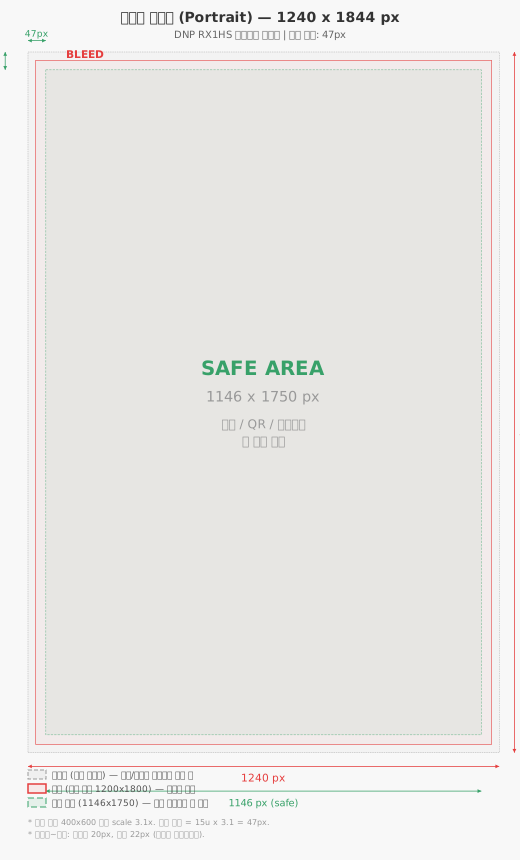
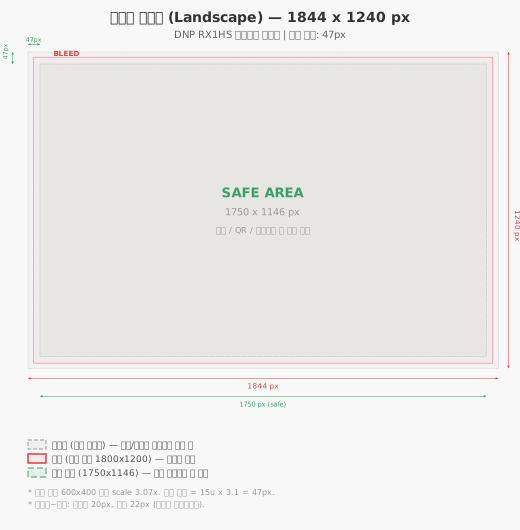
A print frame has three nested zones: bleed, cut line and safe area.
| Zone | Portrait | Landscape | What it is |
|---|---|---|---|
| Bleed (full canvas) | 1240 × 1844 px | 1844 × 1240 px | The file size. Fill backgrounds and patterns all the way to this edge |
| Cut line (paper edge) | 1200 × 1800 px | 1800 × 1200 px | Where the print is actually cut. Everything outside is discarded |
| Safe area | 1146 × 1750 px | 1750 × 1146 px | 47 px inside the edge. Keep logos, copy and dates in here |
| Other specs | Value |
|---|---|
| Photo slots | Fixed position and size as marked in the template |
| Submission format | PNG (keep the transparency) or your working source file |
| Color | sRGB |
Leave the QR slot transparent
If you draw a QR image into the design, the real QR is composited on top of it and neither can be scanned. Keep the QR rectangle marked in the template transparent (alpha) and the system fills it automatically. Dates and text work the other way — draw them into the design yourself; they are not added automatically.
Used at real events
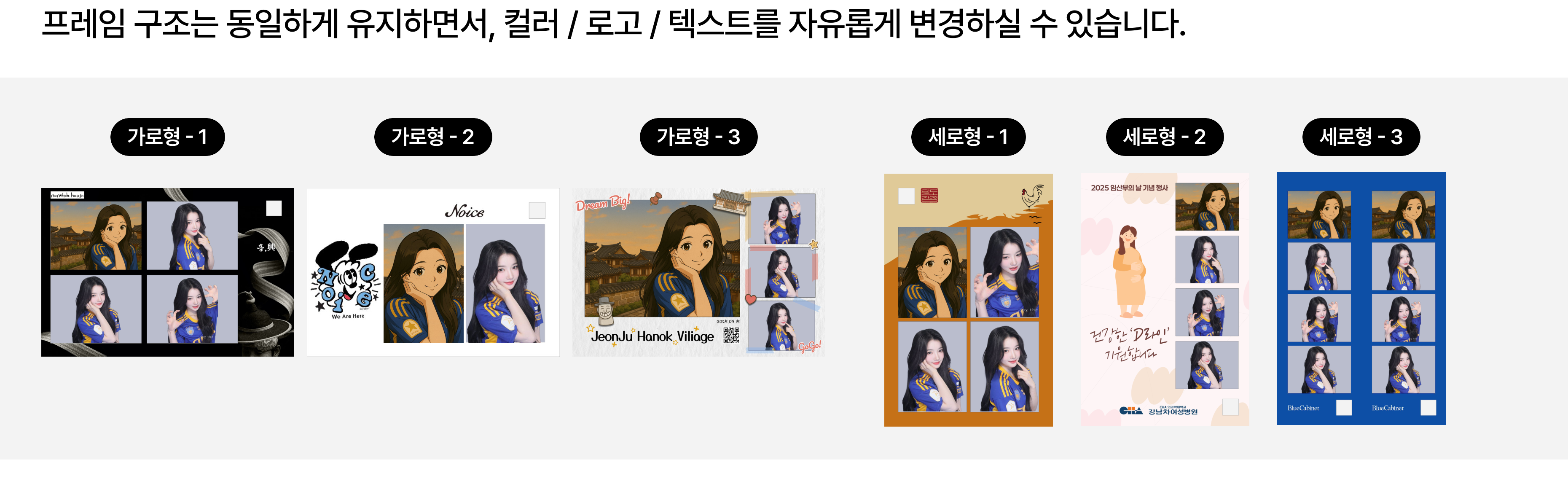
Only the colors, logos and copy changed — the photo slots stayed where they are.
Can we use a layout other than the six?
Yes. Frames with any number, position and ratio of photo slots can be built. Send us a sketch or a reference image of what you have in mind and we will confirm feasibility and timing.
Photo slot ratios close to the camera's native 3:2 lose the least to cropping. If the ratio differs a lot, the photo is center-cropped along its shorter side.
Printing as two strips (Portrait-3)
One print is cut down the middle into two identical strips — great for two people sharing a shoot.
Your designer only needs to prepare the finished single strip (600 × 1800 px). Placing two strips side by side and adding the outer margins is our job.
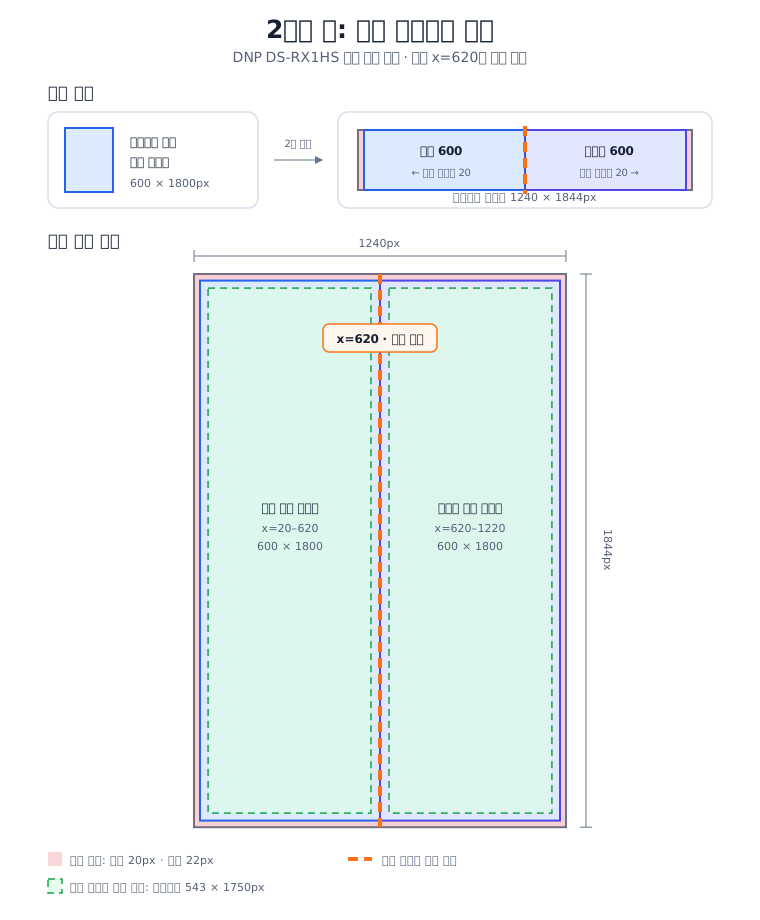
| Position | Margin inside the finished strip |
|---|---|
| Top and bottom | 25 px |
| Outer edge (paper edge) | 27 px |
| Center cut side | 30 px |
Watch the center cut line
Unlike the outer edges, nothing is trimmed at the center — it is cut right on the line. Keep photos, QR and text at least 30 px away from it. Background patterns can run all the way through.
Frequently asked
Can we use a frame we designed ourselves? Yes. Keep the photo slots and canvas size from the templates above, and the rest is up to you.
Can we put a logo or copy on the printed photo? Yes. Everything outside the photo slots exists for exactly that — event names, dates and sponsor logos are common.
Can it print on sticker paper? Paper other than the standard photo stock needs a machine and printer compatibility check. Tell us the paper and size you want and we will confirm.
Can guests get two prints per shoot? Yes. Note that more prints per session lengthen the queue, so we usually cap it at 4.
The printing mechanics and coordinate math behind these specs are in the frame print spec — an internal reference used when building new templates or verifying dimensions.